Nonconformance and inspection
A nonconformance (NC) is Epicor’s way of saying “this quantity might be bad; someone needs to decide”. It pulls the parts out of the normal flow, holds them in inspection, and lets a quality inspector pass them back, fail them to a discrepant material report (DMR), or scrap them. The same inspection step handles receipts from suppliers and returns from customers.
Where nonconformances come from
Section titled “Where nonconformances come from”| Source | How it’s raised |
|---|---|
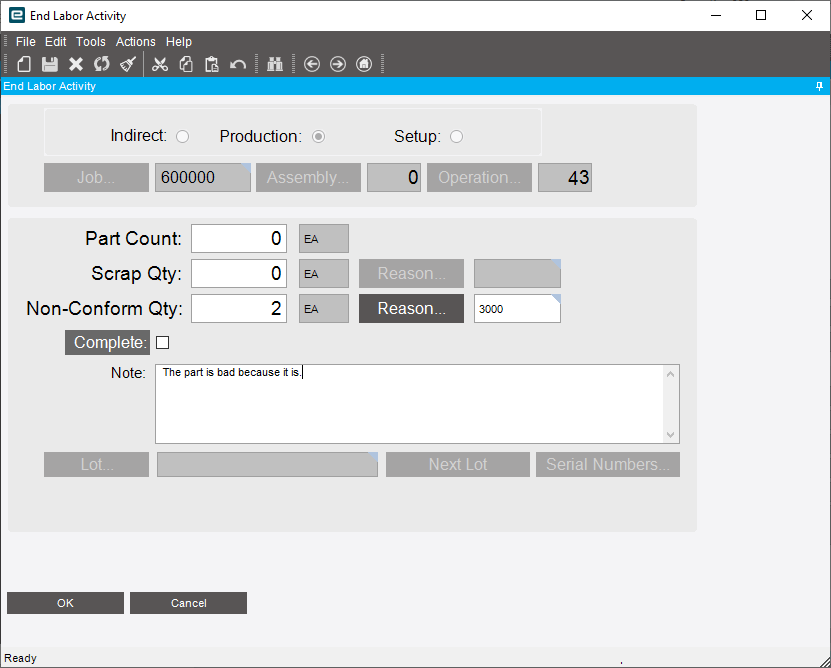
| Production | An operator enters a Non-Conform Qty and reason when ending labor (End Labor Activity / MES) |
| Any job, inventory or subcontract material | Quality creates one directly in Nonconformance (New Operation, New Inventory, New Subcontract Operation, New Other) |
| PO receipts | Receipts for parts or suppliers that require inspection go straight to inspection |
| Customer returns | RMA receipts go to inspection (see RMA process) |
The production NC flow
Section titled “The production NC flow”-
Raise it. In End Labor Activity, the operator enters the quantity in Non-Conform Qty, picks a Reason and adds a note explaining what’s wrong. A nonconformance record is created and the quantity goes to inspection.
-
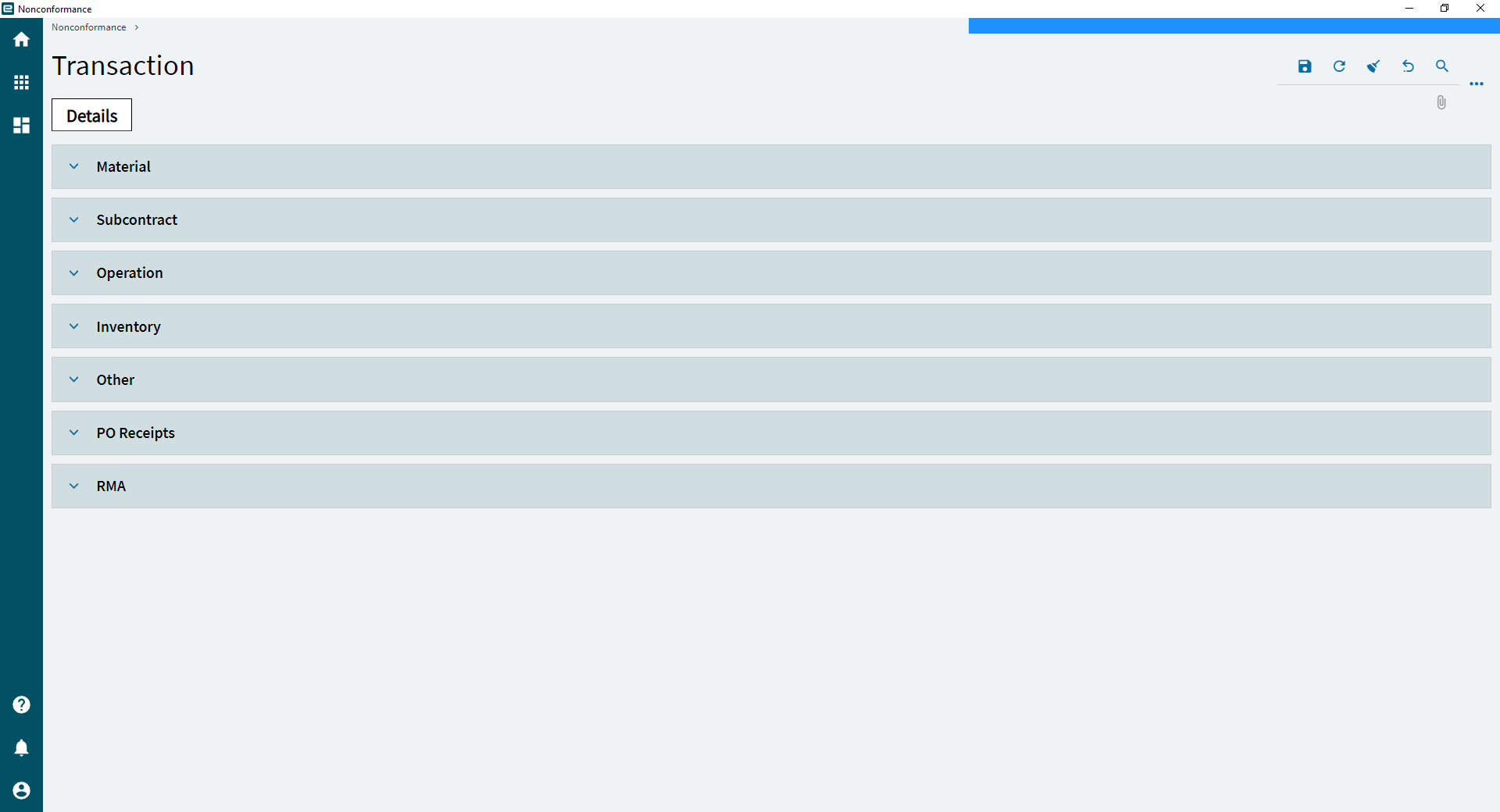
Review it (optional). In Nonconformance, quality can look through open NCs by type (material, subcontract, operation, inventory, other, PO receipts, RMA) and correct the employee, reason or comment. This is only needed if something on the NC is wrong; you can go straight to step 3.
-
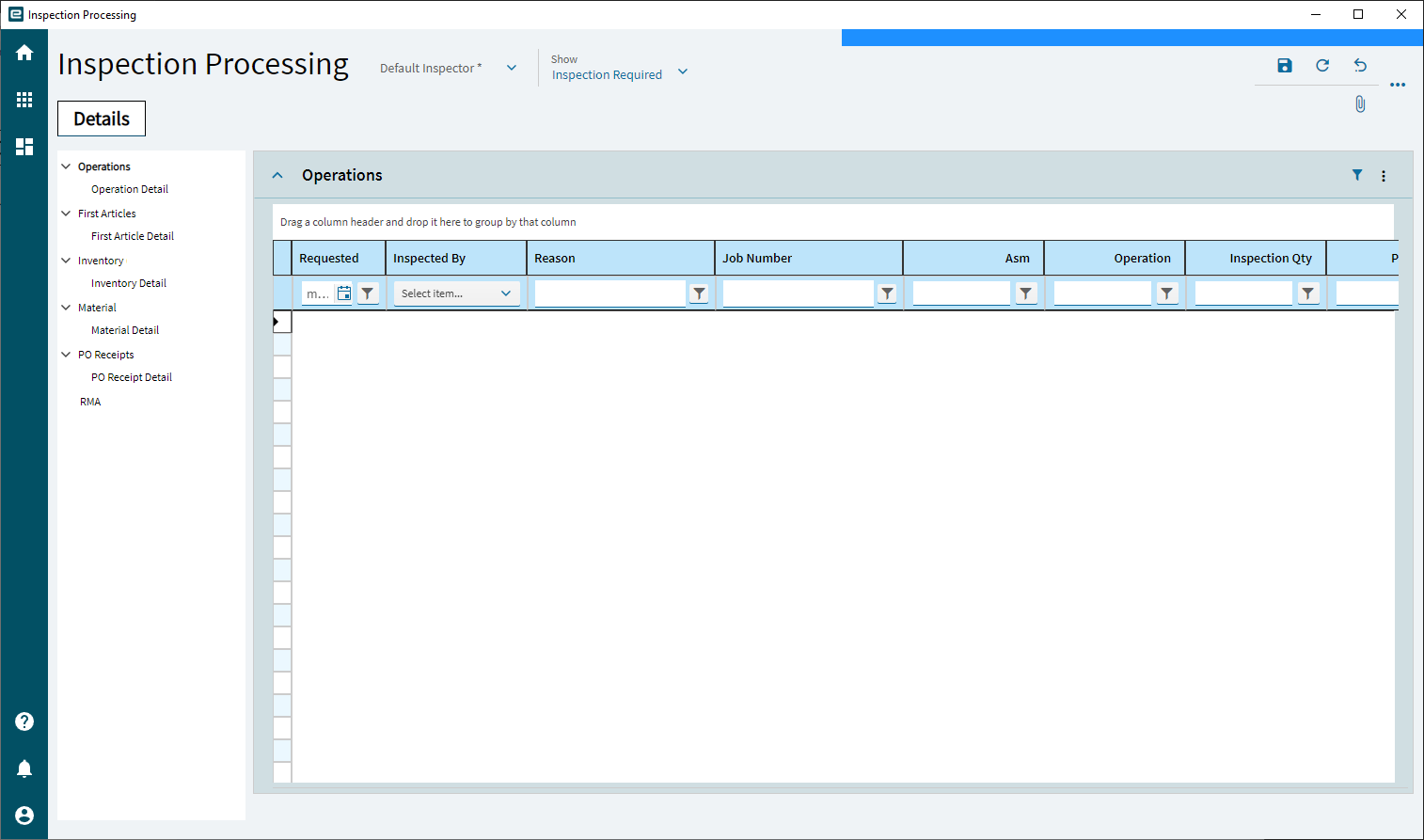
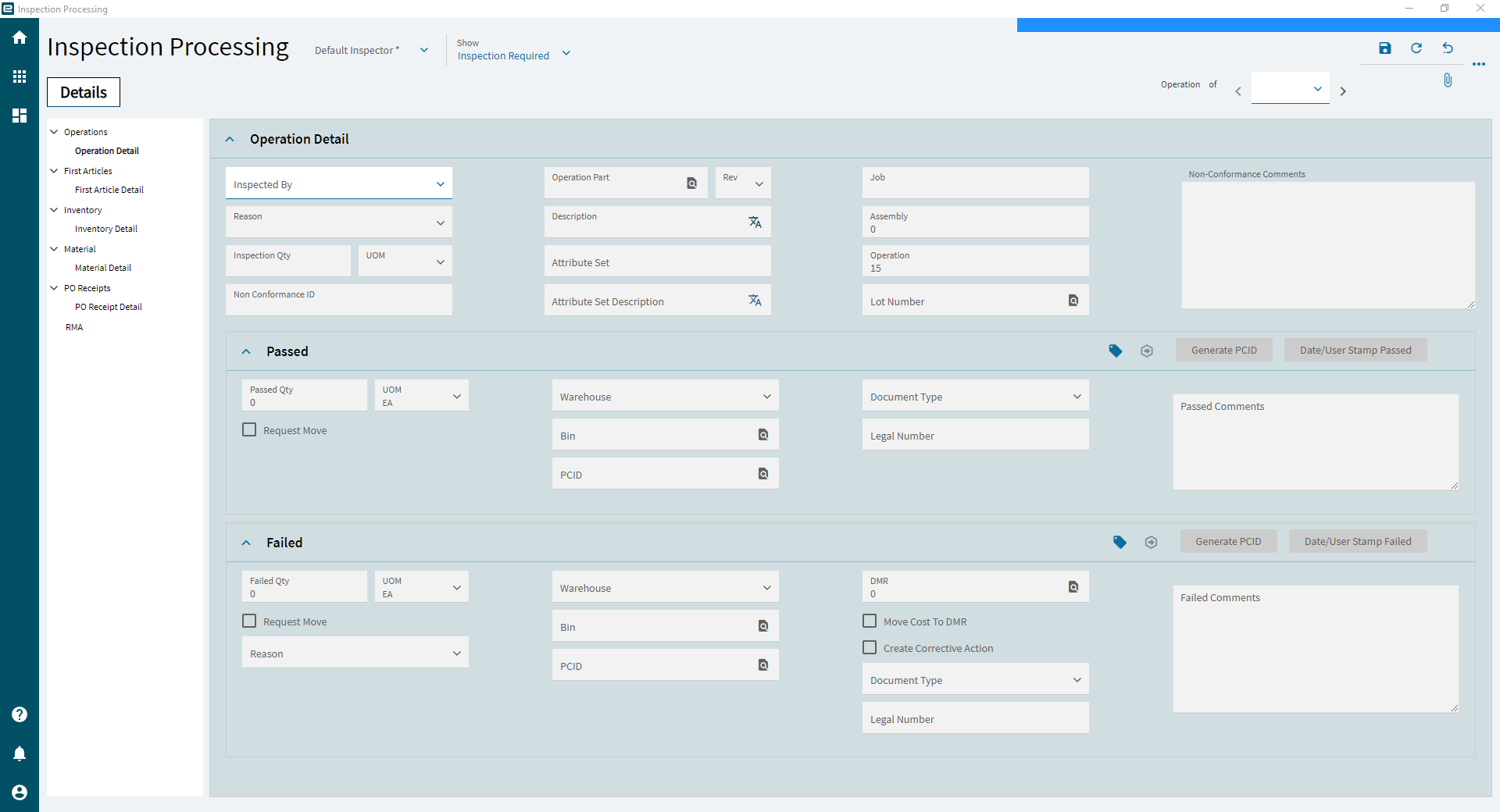
Inspect it. In Inspection Processing, select the NC by job, assembly and operation (or by inventory, material, PO receipt or RMA). Record who inspected it, then split the quantity:
- Passed quantity is added to the operation’s completed quantity (for a production NC) or returned to the warehouse and bin you choose.
- Failed quantity is added to the operation’s scrap quantity and a DMR is created automatically. You can create a corrective action from the same screen.
-
Disposition the DMR. In DMR Processing, the material review board decides what happens to failed parts. See below.
To see what’s waiting, run Nonconformance Analysis (open NCs) and Inspection Pending (items in inspection).
DMR processing
Section titled “DMR processing”A DMR (discrepant material report) holds failed quantity until someone decides its fate. Each DMR can be split across several actions, and it closes when accepted plus rejected quantity equals the discrepant quantity.
| Action | Meaning |
|---|---|
| Accept to a job material, job operation or stock | The parts are usable after all, perhaps after rework |
| Reject with Request Debit Memo | Return to or claim from the supplier. Creates a debit memo request at the PO cost. Shipping the parts back is done in Miscellaneous Shipment Entry |
| Reject with No Further Action | Write the parts off |
| Debit/Credit | Request a debit memo even for accepted material, for example to charge the supplier for cleaning |
Every reject needs a reason code. The transactions (INS-DMR, DMR-STK, DMR-MTL, DMR-REJ and so on)
are listed in Inventory transaction types.
Reversing a receipt after inspection
Section titled “Reversing a receipt after inspection”Symptom: a PO receipt was inspected and passed, then found to be wrong (the wrong parts, the wrong quantity, or bad after all), and Receipt Entry won’t let you reverse it.
Cause: once a receipt has been through inspection, the receipt can’t be reversed, and a processed nonconformance or inspection can’t be edited or deleted. The passed parts are now ordinary stock.
Fix: choose based on what actually needs correcting.
- The parts are bad. Create a new nonconformance for the same parts and quantity from inventory, fail it in Inspection Processing, and reject it in DMR Processing with Request Debit Memo to claim from the supplier.
- The receipt shouldn’t exist at all, and won’t be invoiced. To clear it from the received-not-invoiced report, enter a zero-quantity AP invoice line against the receipt, which closes it without affecting the GL, then remove the stock with a quantity adjustment.